
Business Phone Systems: How to Choose the Right One

Choosing a business phone system used to mean picking a landline provider and installing desk phones. Today, businesses can choose from landlines, VoIP, cloud-hosted platforms, on-premises PBX, hybrid setups, and virtual phone systems — each with different costs, features, and trade-offs.
Picking based on price alone can backfire. A cheap plan that lacks call routing or can’t scale past five users might cost more in lost productivity than a slightly pricier system built for growth. This guide walks through the types of systems available, what they typically cost, how landlines compare to VoIP, and how to match a system to your specific business needs.
What Is a Business Phone System?
A business phone system is the combination of hardware, software, and service that lets a company make and receive calls, route them to the right person, and manage features like voicemail and extensions. Unlike a personal cell phone plan, it’s built to handle multiple users, departments, and call flows at once.
Core components typically include a main business number, individual extensions for employees, a way to route incoming calls (either a receptionist, an auto attendant, or both), voicemail, and some method of connecting calls — traditional phone lines, an internet connection, or both. The specific hardware and software involved depend heavily on which type of system a business chooses.
What Types of Business Phone Systems Are Available?

Business phone systems generally fall into six categories: traditional landlines, VoIP, cloud-hosted phone systems, on-premises PBX, hybrid systems, and virtual phone systems. Each connects calls differently and suits different business situations.
Traditional landline systems use physical copper or fiber lines from a telecom carrier. They’re reliable and don’t depend on internet quality, but they’re harder to scale and typically cost more to expand across locations.
VoIP (Voice over Internet Protocol) sends calls over the internet instead of phone lines. It’s usually cheaper to run and easier to add users to, but call quality depends on internet bandwidth and reliability.
Cloud phone systems are a type of VoIP where the provider hosts all the software and infrastructure remotely. Businesses don’t need to maintain any on-site equipment beyond phones and an internet connection, which makes this option popular with small and remote teams. This is one of the clearest examples of how cloud infrastructure scales with your business, since adding a new user often takes minutes rather than a hardware installation.
On-premises PBX (Private Branch Exchange) is hardware a business owns and maintains on-site, routing calls internally before sending them out. It offers more control but requires upfront investment and in-house or contracted IT support.
Hybrid systems combine landline and VoIP elements — for example, keeping an existing landline number while adding VoIP extensions for remote staff. This suits businesses transitioning gradually rather than switching all at once.
Virtual phone systems route calls to existing cell phones or landlines without dedicated business hardware. They work well for solo entrepreneurs or very small teams that need a professional number without a full phone system.
| System Type | Infrastructure | Typical Cost | Scalability | Best Fit |
|---|---|---|---|---|
| Traditional landline | Physical phone lines | Higher, especially at scale | Limited | Businesses needing maximum reliability without internet dependency |
| VoIP | Internet connection | Lower monthly cost | High | Growing businesses comfortable relying on internet quality |
| Cloud phone system | Provider-hosted, internet-based | Per-user subscription | High | Small to mid-size teams, including remote/hybrid |
| On-premises PBX | Owned hardware on-site | High upfront, lower ongoing | Moderate, requires hardware upgrades | Larger offices wanting full control |
| Hybrid | Mix of landline and VoIP | Varies | Moderate | Businesses transitioning from landline to VoIP |
| Virtual phone system | Existing phones, no new hardware | Lowest | Limited | Solo founders, very small teams |
How Do Business Phone Systems Work?
A business phone system connects an incoming call to a main number, then routes it — either automatically or through a receptionist — to the right extension, department, or voicemail box. Outgoing calls work similarly in reverse, often letting employees display the business number rather than a personal one.
Most modern systems include an auto attendant (the automated menu that greets callers), call queues for busy periods, and voicemail that can forward to email as text or audio. Remote and mobile access matter more now than they used to — many providers offer apps that let employees make and receive business calls from a laptop or smartphone, without needing a physical desk phone.
Business Phone Systems vs Business Phone Service
A phone system refers to the overall setup — hardware, software, and features — while phone service refers specifically to the connection that carries the calls, whether that’s a phone line from a carrier or an internet-based service from a VoIP provider. A phone system can’t function without a service behind it, but the two are priced and chosen separately in many cases.
A “provider” typically supplies the service and, often, the system’s software as well. Hardware — desk phones, headsets, or on-premises equipment — may come from the same provider or be purchased separately, which is one reason total costs can vary so much between what looks like similar plans.
What Features Should a Business Phone System Have?
The features that matter most depend on business size and call volume, but most companies benefit from an auto attendant, call forwarding, call transfer, voicemail (ideally with email or text delivery), and basic call analytics. Larger or customer-facing teams often need call queues, conference calling, and CRM integration as well.
Business texting and mobile apps have become close to standard, especially for teams with remote or field-based staff. Call recording is useful for training and quality control but may carry legal requirements depending on the state, so it’s worth confirming compliance before enabling it. Not every business needs every feature — a small consulting firm may need far less than a customer support team fielding hundreds of daily calls.
What Is the Best Business Phone System?
There’s no single best business phone system — the right choice depends on business size, budget, call volume, number of locations, and whether the team works on-site, remotely, or both. A system that works well for a five-person startup may be a poor fit for a 50-person call center.
Instead of chasing a universal “best” label, it’s more useful to evaluate systems against your specific requirements: how many users need phones, whether remote access matters, what integrations are required, and how much reliability and support you need. Providers that rank well for reliability may not be the most affordable, and vice versa — the right trade-off depends on what your business values most.
What Is the Best Phone System for a Small Business?
For most small businesses, a cloud-hosted VoIP system tends to offer the best balance of cost, features, and flexibility, since it requires little upfront hardware investment and can scale as the team grows. That said, “best” still depends on internet reliability, budget, and whether remote work is part of the business model.
Small businesses tend to prioritize affordability, ease of setup, and mobile access over advanced features like large-scale call center tools. A small office with steady, reliable internet is often well-suited to VoIP or cloud systems, while a business in an area with unreliable internet service may still find a traditional landline more dependable, even at a higher cost. Phone systems are just one piece of a broader technology stack — businesses mapping out their next 90 days of upgrades may find a broader AI strategy roadmap for small businesses useful for sequencing this decision alongside other tech investments.
Business Landline Phone Service vs VoIP

Landlines use dedicated physical lines and don’t depend on internet quality, which makes them more resistant to outages tied to internet service, but they typically cost more to install and scale, especially across multiple locations. VoIP runs over the internet, generally costs less per line, and scales more easily, but call quality depends on a stable internet connection.
Neither is universally better. A business in an area with unreliable internet, or one that handles emergency services and needs guaranteed uptime, may reasonably choose to keep a landline. A growing business with reliable internet and remote or hybrid staff will often find VoIP more practical and cost-effective. Maintenance also differs: landlines usually require a technician for changes, while VoIP systems can often be reconfigured through a web dashboard.
| Factor | Landline | VoIP |
|---|---|---|
| Internet dependency | None | Required |
| Typical cost | Higher, especially per line | Lower, often per-user pricing |
| Scalability | Limited, physical installation needed | High, add users through software |
| Reliability during power/internet outage | More resilient | Vulnerable without backup power/internet |
| Remote work support | Limited | Strong |
| Maintenance | Requires technician visits | Often self-service via dashboard |
What Is a Business Phone Line?
A business phone line is a dedicated number and connection used for company calls, separate from a personal phone number. It can be a single line for a small business or one of many extensions tied to a larger system, and it may include a local number, a toll-free number, or both.
Each user or department typically gets an extension connected to the main business number, so callers can reach the right person without needing a separate phone number for everyone. Toll-free numbers are optional add-ons many businesses choose for customer-facing lines, since they signal a certain scale and remove long-distance charges for callers.
How Much Is a Business Phone Line?
The cost of a business phone line depends on the provider, the number of users, required features, and whether it’s a landline or VoIP line — pricing varies widely, so it’s worth requesting current quotes rather than relying on generic figures. Monthly per-user VoIP pricing is common, while landlines are often priced per line plus installation.
Beyond the base monthly fee, costs can include hardware (desk phones or headsets), setup or installation charges, number porting fees if you’re keeping an existing number, add-on features like call recording or advanced analytics, taxes and regulatory fees, and potential contract terms with early termination penalties. Checking a provider’s current pricing directly is the only reliable way to get an accurate total.
What Is the Cheapest Business Landline Phone Service?
The cheapest advertised landline plan isn’t always the lowest total cost once installation fees, equipment charges, taxes, and contract terms are factored in. A plan with a low monthly rate but a long contract and steep early termination fee can end up costing more than a slightly pricier month-to-month option.
When comparing “cheap” landline options, it helps to ask about the full cost of ownership: installation, equipment rental or purchase, taxes and regulatory fees, and any charges for adding lines or features later. Pricing varies by provider and plan, so getting an itemized quote before committing is the most reliable way to compare real costs.
How to Compare Business Telephone Systems
Comparing business telephone systems is easier with a consistent framework — evaluating each option against the same set of factors rather than comparing headline prices alone.
| Factor | What to Evaluate |
|---|---|
| Cost | Monthly and upfront costs, including hardware and fees |
| Features | Required vs. optional features for your team |
| Scalability | How easily you can add users or locations |
| Reliability | Uptime history and connectivity requirements |
| Mobility | Remote and mobile calling support |
| Hardware | Desk phones and equipment needs |
| Integration | Compatibility with CRM and other business tools |
| Support | Availability and quality of customer service |
| Security | Account protection and call encryption |
| Emergency Calling | E911 and location-based emergency service capability |
Running each provider or system through this same list makes it much easier to see where the real differences are, rather than being swayed by whichever plan happens to advertise the lowest number.
Business Office Phone Systems: What Should You Consider?
Office phone systems need to account for how calls move within a physical space — extensions, receptionist call handling, transfers between departments, and conference calling for meetings — in addition to the basic ability to make and receive calls.
Shared lines and call queues matter more in offices with several employees answering similar calls, such as reception or support desks. Office layout can also affect hardware choices: an open floor plan might favor headsets and softphones over traditional desk phones, while a more traditional office may still want physical handsets at each desk. For offices with hybrid or remote employees, checking that the system supports mobile and desktop apps ensures no one is left relying solely on a desk phone they’re not using.
How to Choose the Right Business Phone System

Choosing the right system works best as a step-by-step process rather than picking whichever provider you’ve heard of first.
- Determine the number of users who need phone access.
- Identify which features are actually required versus nice-to-have.
- Decide between landline, VoIP, cloud, or a hybrid setup based on internet reliability and growth plans.
- Estimate total cost, including hardware, setup, and ongoing fees.
- Check whether you can port your existing business number.
- Evaluate the provider’s reliability and uptime track record.
- Review what integrations you need, such as CRM software.
- Assess security features and emergency-calling capability.
- Compare the quality and availability of customer support.
- Read the contract terms carefully, including cancellation and early termination fees.
Working through this list before signing anything helps avoid the most common regret businesses report: choosing a system that looked affordable upfront but couldn’t grow with the business or lacked support when something went wrong. This kind of structured evaluation reflects the same strategic thinking around business technology decisions that tends to pay off across other operational choices, not just phone systems.
Common Business Phone System Mistakes
The most common mistake is choosing a system based on price alone, without checking whether it can scale, integrate with existing tools, or handle the business’s actual call volume. A cheap plan that can’t grow with the business often ends up requiring a costly switch later.
Other frequent mistakes include underestimating hardware costs, ignoring internet bandwidth requirements before switching to VoIP, failing to confirm number portability before signing a contract, overlooking contract length and early termination fees, and assuming every advertised feature is included in the base plan rather than sold as an add-on. Taking the time to check these details upfront tends to save both money and frustration later.
Frequently Asked Questions
What is the best business phone system for a small business?
There’s no single best option — cloud-hosted VoIP tends to suit most small businesses due to lower upfront cost and easy scaling, but reliable internet is a prerequisite. Businesses with unreliable internet may prefer a traditional landline instead.
How much does a business phone line cost?
Costs vary by provider, number of users, and features, so there’s no single fixed price. VoIP lines are often billed per user monthly, while landlines typically involve a per-line fee plus installation. Check current provider pricing for an accurate estimate.
Are business phone systems expensive?
Not necessarily — VoIP and cloud systems often cost less than traditional landlines, especially for small teams. Total cost depends on hardware, features, and contract terms, so it’s worth comparing full pricing rather than just the monthly rate.
Is VoIP better than a business landline?
Neither is universally better. VoIP usually costs less and scales more easily, but depends on internet reliability. Landlines cost more but don’t rely on internet quality, which can matter for businesses in areas with unstable connections.
What is the cheapest business landline phone service?
The lowest advertised price isn’t always the cheapest overall once installation, equipment, and contract terms are included. Comparing total cost of ownership, not just the monthly rate, gives a more accurate picture.
Do small businesses need a phone system?
Most do, even at a small scale, since a dedicated business number and basic features like voicemail and call routing project professionalism. Very small or solo businesses sometimes start with a virtual phone system before upgrading.
What features should a business phone system have?
Most businesses benefit from an auto attendant, call forwarding, voicemail, and mobile access. Larger or customer-facing teams often add call queues, conference calling, and CRM integration based on their specific call volume and workflow.
Can a business keep its existing phone number when switching providers?
In most cases, yes, through a process called number porting, though it depends on the current provider and number type. Confirming porting eligibility before switching helps avoid disruption to customer communication.
What is the difference between a business phone system and phone service?
A phone system is the overall setup — hardware, software, and features — while phone service is the underlying connection that carries calls, such as a landline or VoIP service. A system needs a service to function, but they’re sometimes provided or priced separately.
How many phone lines does a small business need?
This depends on team size and call volume rather than a fixed rule — some small businesses run on a single main number with extensions, while others need multiple lines for different departments or high call volume.
Conclusion
Choosing a business phone system comes down to matching the technology to how your business actually operates — team size, internet reliability, remote work needs, and budget all play a role. Landlines, VoIP, cloud systems, on-premises PBX, hybrid setups, and virtual phone systems each solve the problem differently, and none of them is the right answer for every business.
Working through the comparison framework and buying checklist above before committing to a provider can help you avoid the most common mistakes — choosing on price alone, underestimating hidden costs, or picking a system that can’t grow with your team. Compare available business phone options against your specific requirements, and review the features your business actually needs before signing a contract.

Mike Farrier is a seasoned technology journalist, digital trends researcher, and Senior Editor at Queknow. With over a decade of hands-on experience spanning web architecture, emerging tech, digital consumer products, and data-driven market insights, Mike bridges the gap between complex topics and actionable knowledge. He leads the editorial team to deliver rigorously fact-checked, up-to-date guides and comprehensive analysis across digital lifestyle, enterprise technology, and online business ecosystems. When not analyzing industry shifts, Mike actively tests consumer software and contributes to tech forums.
Recommended For You
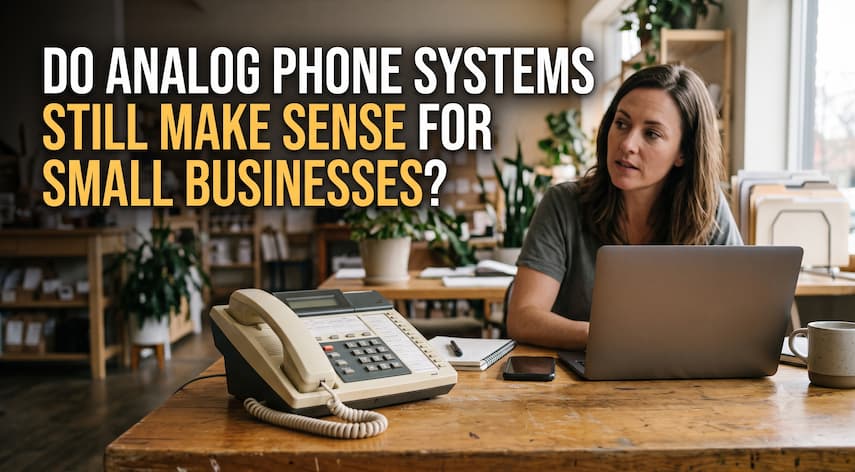
Plenty of small businesses still run on the same phone wiring that’s been in the wall since before smartphones existed.

Fulfillment feels manageable at low order volume. A handful of staff can pick, pack, and ship orders by hand without

Freelancing comes with a version of bookkeeping most employees never have to think about: tracking your own income, categorizing your